
Account owners may print their own barcode labels. The template is available on the "Print Labels" tab on the postal account. Instructions are provided on that site.
Note: Only account owners can print labels, and they must be logged in with single sign-on to access accounts. If you cannot access an account, please contact the account owner or PPS for access.
Email us at pps@iastate.edu for issues or questions.
Select the account from the accounts list
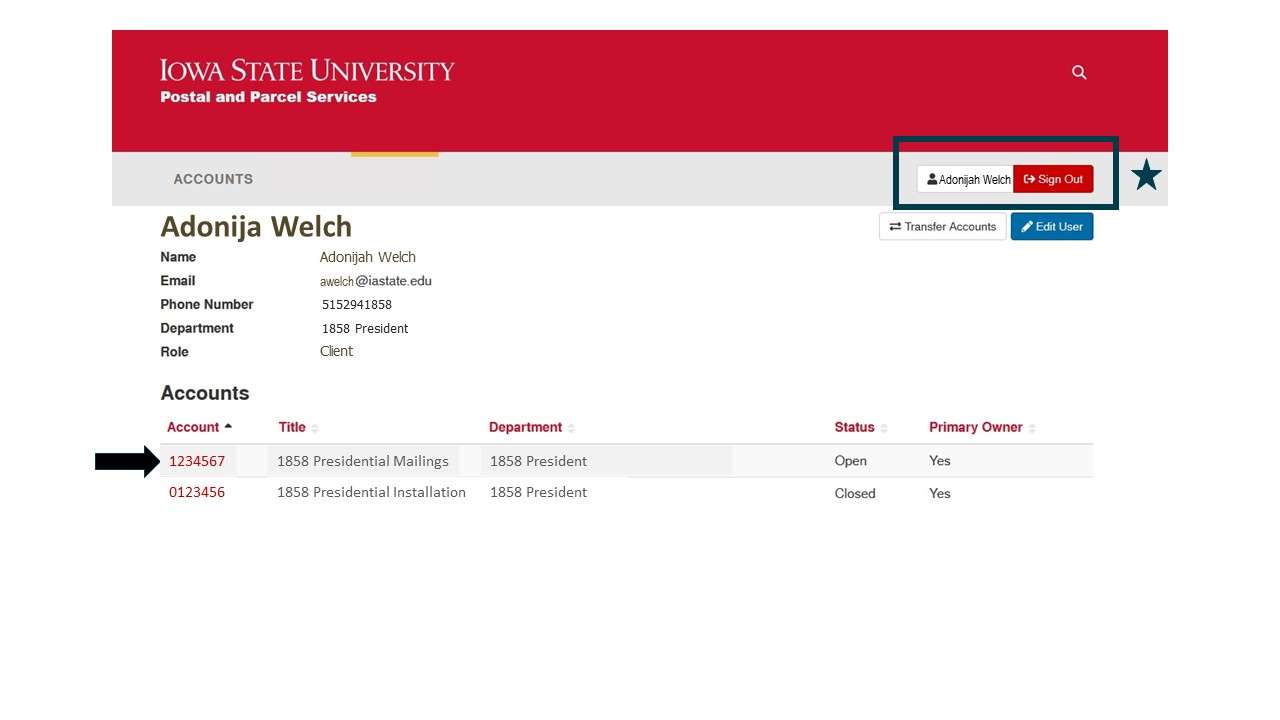
Select "Print Labels" and follow the instructions provided. Labels may be purchased through Central Stores or cyBuy.
